Net-Chess RSS Feeds
You can now avoid the excuciating pain involved with having
to visit the Net-Chess home page just to see if it's your move. If
you're an RSS user, then you can use the Net-Chess RSS feed to
get a list of all of the games it's your move in.
For those not familiar with RSS feeds, they are a method of
receiving and displaying tidbits of information which change
frequently. To view an RSS feed, you need an RSS viewer, of
which, there are thousands available. A Google Search for
RSS Reader will reveal many to choose from. I perfer
an on-line reader like Google Reader.
Some readers will run in the background and pop up an alert
when new information is available, that way you can do other things
and not have to keep hitting the "refresh" button all day.
The URL for the RSS feed has to be crafted to include your username
so that it can show only your games. If you don't use the correct
URL, you'll get an error message when you use the RSS feed. If you're
currently logged in, a URL will appear below that includes the
RSS URL you need, if you're not logged in, you can either log in
and re-visit this page, or modify the URL by hand.
The URL for the RSS feed is http://www.net-chess.com/rss.cgi?username=YOURUSERNAME. Be
sure to replace the YOURUSERNAME with your username. For example if your username
is gmiller, the URL you would use is http://www.net-chess.com/rss.cgi?username=gmiller.
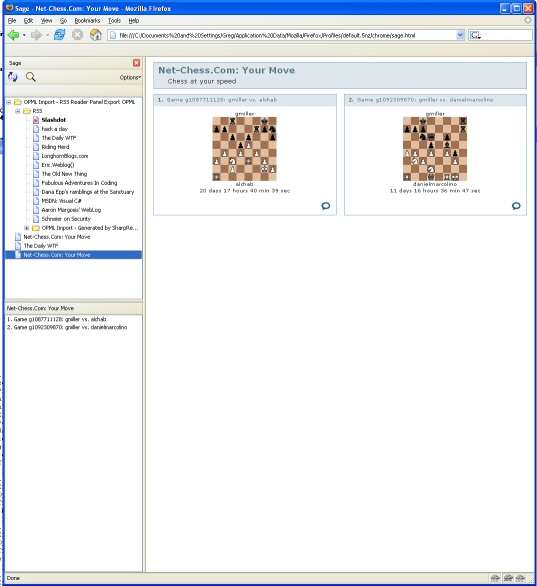
An example of what the RSS feed looks like in Firefox using the Sage plugin:
|